Live scoring for archery matches
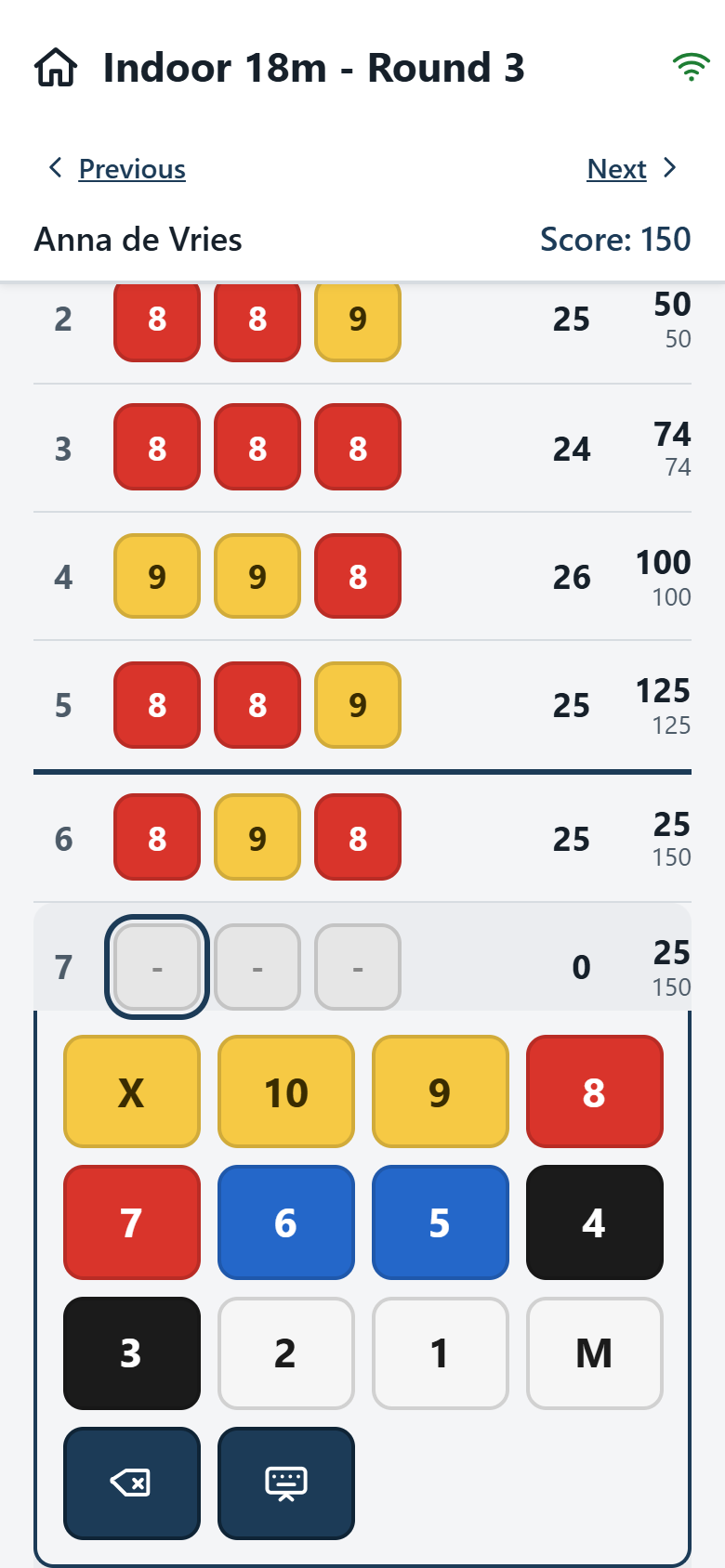
Archers enter their own scores on their phones, and the results appear live on any screen in the hall. No app, no accounts for archers, no special hardware.
If your archers have a phone with a browser, you can start today.
Get started in three steps
1. Ask for access
Send an e-mail to pb@centaurscores.nl and you get an account for your club.
2. Create a match
Give the match a name and a date and choose the number of ends and arrows. That is all.
3. Shoot
Print a QR code per target, or let archers register themselves. Point a screen at the live address and you are done.
Live results on any screen
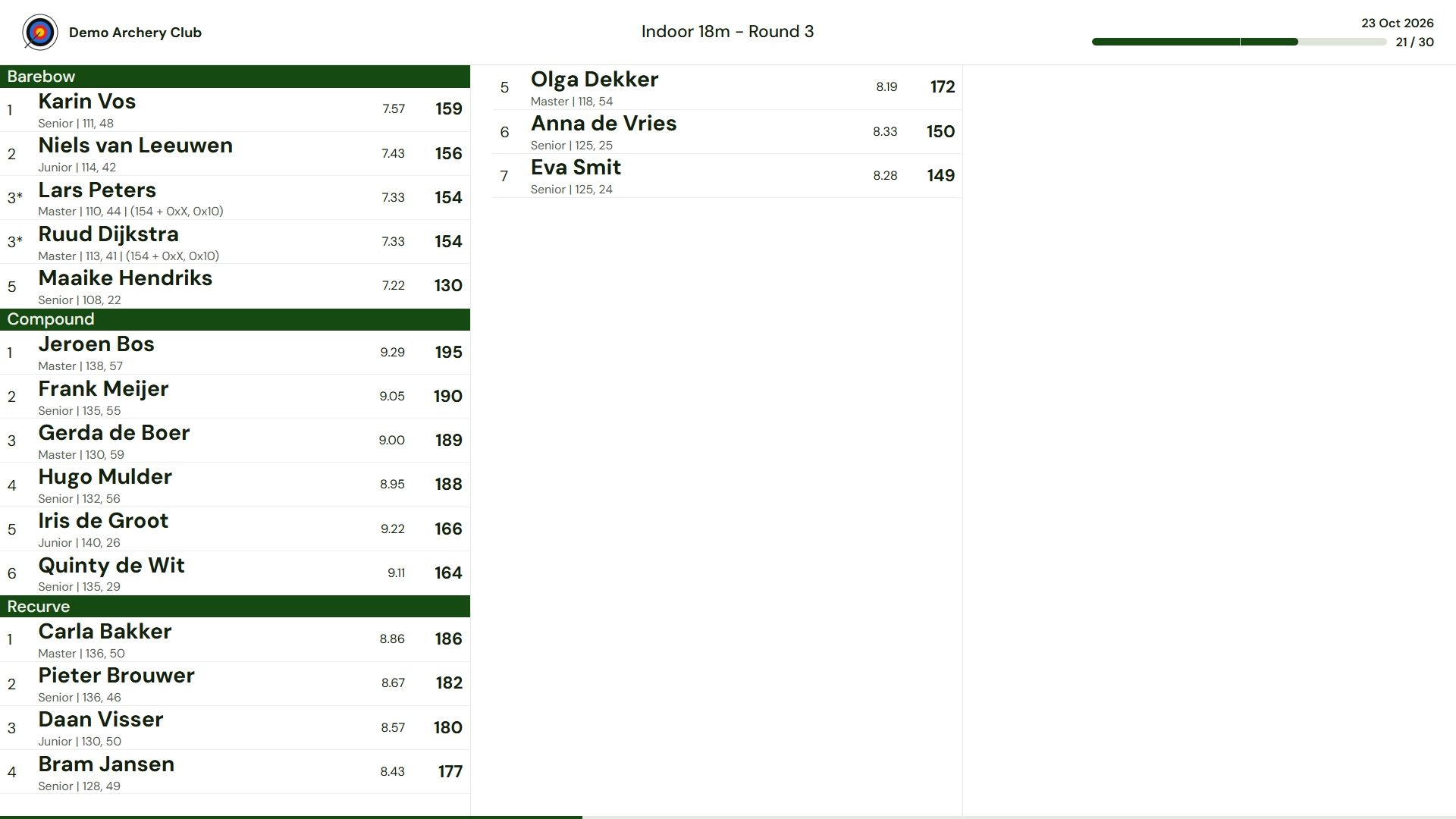
Open one fixed address on a smart TV, a laptop with a projector or any other screen with a browser. The address never changes: when you open a match it appears automatically, and when you close it, it disappears.
Results are grouped by category, ranked and refreshed continuously, with up to 48 archers on one screen.
Everything for the match, the competition and the club
Score entry
Scan the QR code and score in the browser. A large keyboard in target colours, and robust against flaky Wi-Fi.
Self-registration or lane assignment
Start with no preparation and let archers register themselves, or prepare a full lane assignment in advance.
Live results
Grouped by bow type or class, with averages, split totals, tie-breakers and personal-best indicators.
Competitions
Track a whole season, either by adding up the best scores or by awarding F1-style points per round.
Personal bests
Personal bests per archer and discipline, updated automatically after every match.
Organisations and access
Federation, region and club fully separated, with accounts for administrators, managers and viewers.
Ready to start?
Ask for access and create your first match today.